Playback Practice Setup for Futures Reps
Practice trading on historical market sessions using the full TradingPlace cockpit — same interface, same risk controls, simulated fills. Build consistency through structured daily reps.
What is Playback Practice?
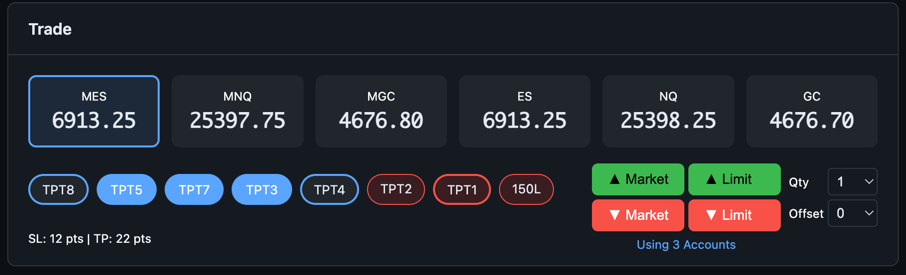
Playback Practice replays historical trading sessions through the same cockpit you'd use for live execution. There's no separate "sim mode" — you use the real interface with order entry, account chips, risk limits, and group controls all active, but orders route to a paper broker instead of live markets.
This matters because the goal is to build the same muscle memory and decision process you'll rely on when real money is at stake. Practicing in a stripped-down toy simulator doesn't transfer.
Practice Streams
Three streams run on a scheduled basis so you can build a routine around them, just like you would with market open.
| Stream | Speed | Session | Best for |
|---|---|---|---|
| Open | 1× (real-time) | Opening window replay | Entry discipline, morning routine, plan execution |
| Open 4× | 4× (accelerated) | Wider session range, compressed | Rapid rep accumulation, reading flow faster |
| Competition | 1× | Date-hidden session | Removing hindsight bias, benchmarking, leaderboard |
Open
Replays the market open at real-time speed. Designed for clean, focused reps around the open setup — the highest-edge window for most prop traders. Fast enough to complete a session and review before your actual trading day begins.
Open 4×
Same content as Open but delivered at 4× speed, letting you complete more reps per day without blocking your schedule. Good for building pattern recognition and getting reps across a wider range of historical days quickly.
Competition Mode
The session date is hidden. You don't know which day you're trading, which eliminates hindsight bias — one of the biggest distortions in paper trading. You make decisions based on what you see, not what you remember about the outcome.
Practice Accounts
Each stream mode has its own set of paper accounts, isolated from live accounts and from each other. This gives you clean P&L data per mode type without cross-contamination.
- Practice accounts appear in the cockpit alongside (or instead of) live accounts depending on which stream is active
- Each practice account can have its own risk settings: daily loss limit, daily profit target, trailing stop
- P&L history is tracked per account, per stream — so you can compare your Open performance vs. Competition performance over time
- Resetting a practice account is done from the portal settings page
What's Active During Practice
Playback doesn't strip out the cockpit — everything runs as it would live:
- Full order entry — Market, limit, stop, bracket orders all work
- Group execution — Select multiple practice accounts and trade them as a group
- Smart Scaling — Sell Half, Sell Quarter work proportionally across all selected practice accounts
- Risk controls — Daily loss limits and daily profit targets are enforced during practice sessions
- Flatten All — Emergency exit closes all practice positions instantly
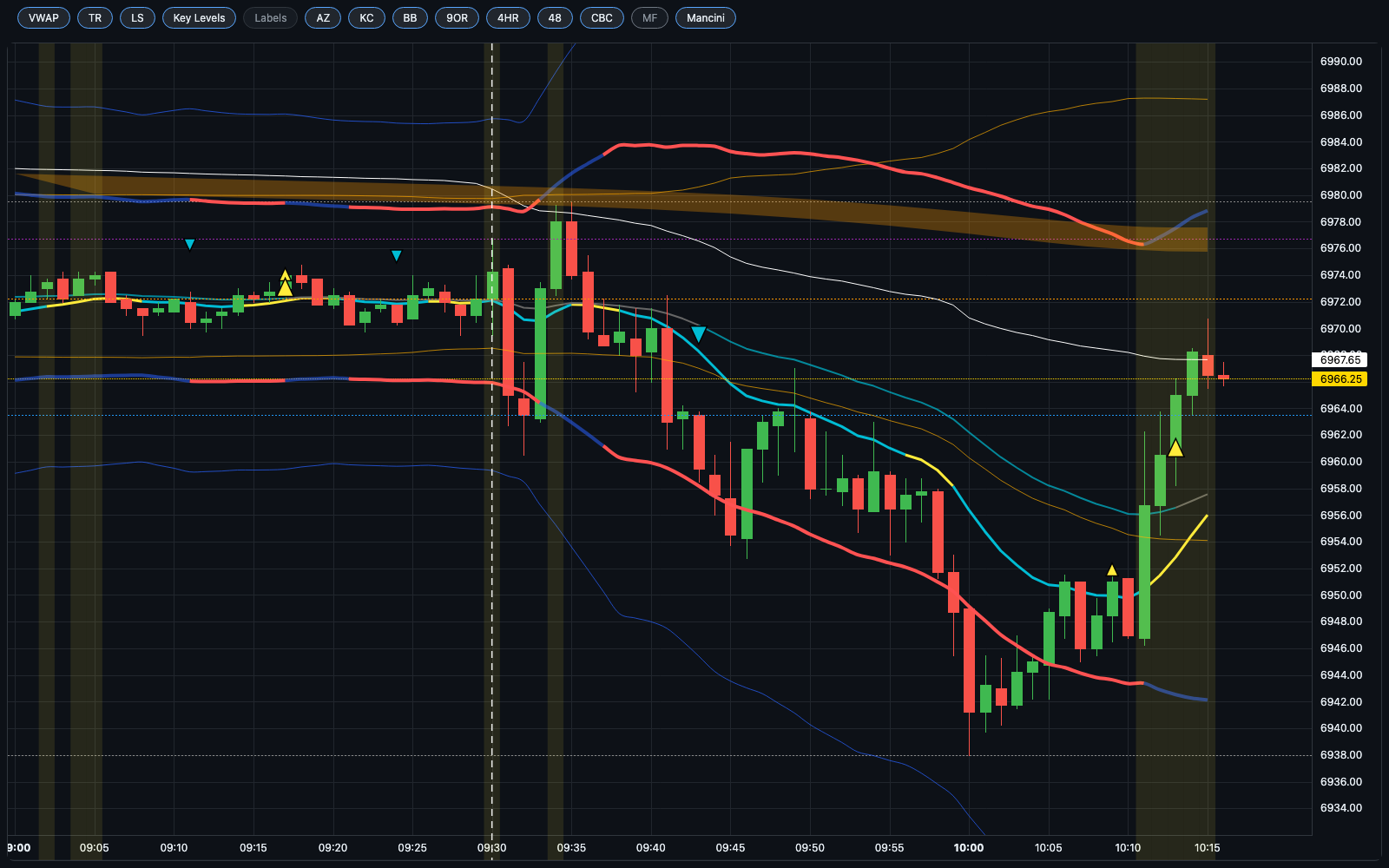
- Context overlays — Trade plans, key levels, and time-synced analyst commentary are replayed at the correct point in the session
Context Overlays
Practice sessions can include the same contextual signals you'd have on a live trading day:
- Time-synced commentary — Analyst tweets and alerts are replayed at the correct timestamp, exactly as they appeared intraday. You see the information when you would have seen it live, not the full day's feed all at once.
- Intraday trade plans — Key levels, bias direction, and framework notes from the session's trade plan are visible as you execute.
- Historical chart feed — VWAP, session levels, structural markers, and indicator layers are all available on the playback chart.
Streak Tracking
Every completed practice session is logged to your streak. The streak system is designed to create accountability around daily consistency — the same kind of consistency that separates professionals from recreational traders.
- A session counts toward your streak when you complete it and trade your plan
- Streaks are tracked per stream type
- The leaderboard shows rankings across all users — Competition mode scores are highlighted separately since they represent unbiased performance
Accessing Practice Mode
- Log in to your TradingPlace portal
- Navigate to the Accounts tab and look for the Practice section
- Select which stream you want to join (Open, Open 4×, or Competition)
- Select your practice accounts for that session
- The chart switches to the playback feed when the stream is active
Frequently Asked Questions
Does practice mode affect my live accounts?
No. Practice accounts are completely isolated. Orders, fills, and P&L from practice sessions never touch live account data.
Can I use keyboard shortcuts during practice?
Yes — all keyboard shortcuts work the same way during practice sessions.
What symbols are available in practice?
The same instruments supported for live trading: ES, MES, NQ, MNQ, GC, MGC.
Why is the date hidden in Competition mode?
Hindsight bias is one of the most common distortions in paper trading. If you know you're replaying a specific date, you may unconsciously remember how it played out. Competition mode removes this by hiding the date, so your decisions come purely from what you observe in the session.
Can I replay the same day multiple times?
The system rotates through a pool of historical sessions. You can't manually pick a specific date to replay — sessions are assigned by the stream scheduler.