Multi-Account Group Execution for Prop Traders
Execute trades across multiple accounts with a single click. This is the core feature that makes TradingPlace essential for prop traders.
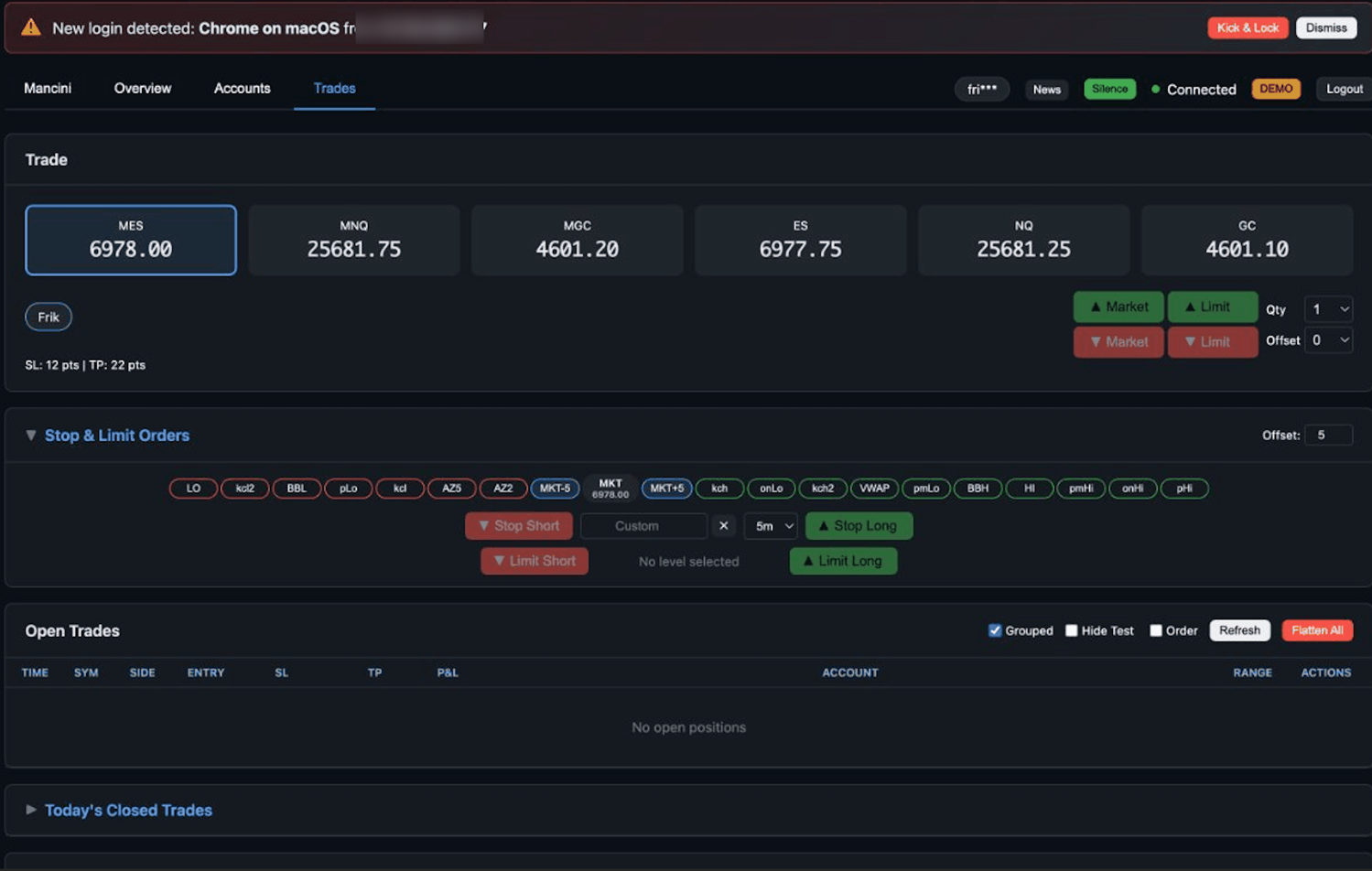
What is Group Execution?
Group execution means one click places orders on all your selected accounts simultaneously. Instead of logging into each account and placing trades one by one, you trade them all as a group.
Example
You have 5 prop firm accounts selected. You click "Buy 2 MES" once. TradingPlace sends 5 separate buy orders - one to each account - all within milliseconds of each other.
How It Works
1Select Your Accounts
Use the checkboxes in your dashboard to select which accounts should receive orders:
- Check individual accounts manually
- Use "Select All" to select every connected account
- Use "Select Funded" to select only funded accounts
- Use "Select Eval" to select only evaluation accounts
2Configure Your Order
Set up your trade parameters:
- Choose the symbol (ES, MES, NQ, MNQ, GC, MGC)
- Set contract quantity per account
- Optionally set stop loss and take profit levels
Bracket Orders & OCO Support
TradingPlace fully supports bracket orders and OCO (Order Cancels Order) across all accounts:
- Bracket orders - Entry with attached stop loss and take profit that execute together
- OCO orders - When one order fills, the other is automatically cancelled
- All bracket/OCO logic is synchronized across your account group
- If you close a position manually, pending brackets are automatically cancelled
3Execute
Click Buy or Sell. TradingPlace immediately sends orders to all selected accounts in parallel.
Simultaneous Order Placement
Orders are sent to all accounts at virtually the same time - not sequentially. This matters because:
- Consistent fills - All accounts enter at similar prices
- No slippage cascade - You don't move the market against yourself
- Time savings - What would take minutes happens in milliseconds
Benefits for Prop Traders
Scale Without Complexity
Whether you have 2 accounts or 20, the workflow is identical. One click, all accounts.
Consistent Strategy Execution
Every account gets the same trade at the same time. No forgetting an account or entering at different prices.
Focus on the Market
Stop thinking about account management. Focus entirely on your trading decisions. When you see a setup, act on it - TradingPlace handles the distribution.
Reduce Errors
Manual multi-account trading leads to mistakes: wrong size, wrong direction, missed accounts. Group execution eliminates these errors.
Important Notes
- Orders use the same contract quantity for each account
- If an account has a position limit, TradingPlace will cap the order size for that account
- Failed orders on one account don't affect other accounts
- Each account's order is independent - you can close accounts individually if needed