Emergency Controls for Multi-Account Futures Trading
When things go wrong, you need to act fast. These controls let you exit trades instantly across all accounts.
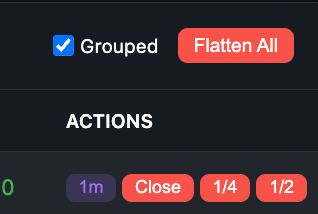
Flatten All Button
What it does: Immediately closes ALL positions and cancels ALL pending orders across every selected account.
When to use:
- Unexpected news event while you have positions
- Price is moving fast against you
- You need to leave your computer immediately
- Any situation where you need everything closed NOW
Result: All positions are market-closed. All pending orders (stops, limits, brackets) are cancelled. You are completely flat.
Escape Key
What it does: Cancels all pending orders but leaves your positions open.
When to use:
- You placed orders at the wrong price
- Market conditions changed and you want to re-evaluate
- You want to manually manage your exit without preset stops/targets
Result: All pending orders are cancelled. Your open positions remain. You can then set new stops/targets or exit manually.
Shift + Escape
What it does: Graceful exit - moves your take profit orders to the current market price.
When to use:
- Trade is in profit but you want to exit now
- You want to lock in current gains without hitting market orders
- You want to exit at or near current price with limit orders
Result: Take profit orders are moved to current price. As price touches that level, positions close via limit orders. Cleaner fills than market orders.
Which Control to Use
| Situation | Control |
|---|---|
| Get out of everything NOW | Flatten All |
| Cancel orders, keep positions | Escape |
| Exit at current price with limit orders | Shift+Escape |
Real-Time Error Alerts
TradingPlace notifies you instantly when something goes wrong:
- Order rejections - Immediate notification if an order is rejected by the exchange or prop firm
- Connection issues - Alert when an account loses connection to its broker
- Fill failures - Notification if an order fails to fill on any account
- Risk limit triggers - Alert when daily limits or other risk controls activate
Errors appear as toast notifications in the dashboard so you can react immediately.
Practice First
Before you need these controls in a real emergency:
- Practice on an eval account during low-stakes trading
- Know exactly where the Flatten All button is
- Memorize Escape and Shift+Escape shortcuts
In an emergency, muscle memory is faster than thinking.