The plan has a home
The daily map is easy to reference when price reaches the level, instead of becoming something you read once and forget.
Mancini Copilot turns the strategy from a loose collection of screenshots, tweets, and notes into a coherent working surface inside TradingPlace. The daily plan, live tweet flow, failed-breakdown context, and audio lesson live together so the session stays readable when the market is moving.
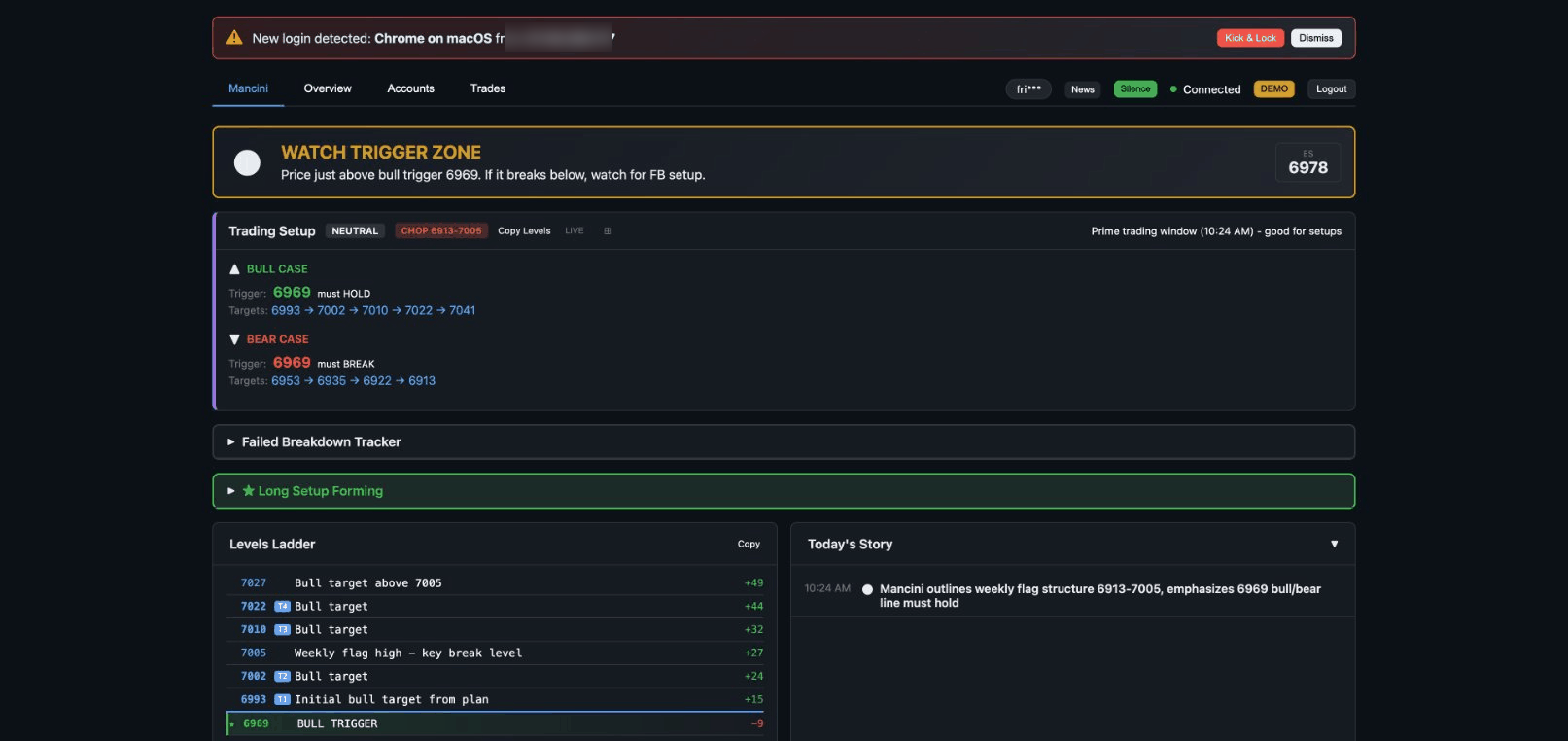
It stays organized when the market does not. Levels, updates, and setup logic stay readable through the session.
Mancini Copilot is compelling because it combines context and timing. You can see the plan, watch the follow-up updates, and keep the strategy explanation nearby without building your own mental patchwork every morning.
The daily map is easy to reference when price reaches the level, instead of becoming something you read once and forget.
Tweet-driven adjustments make more sense when they appear alongside the plan that gave them context in the first place.
The failed-breakdown audio and screenshots make it easy to revisit the setup later and actually retain what mattered.
These screenshots show how the workflow stays clear from the premarket map through live updates and review.
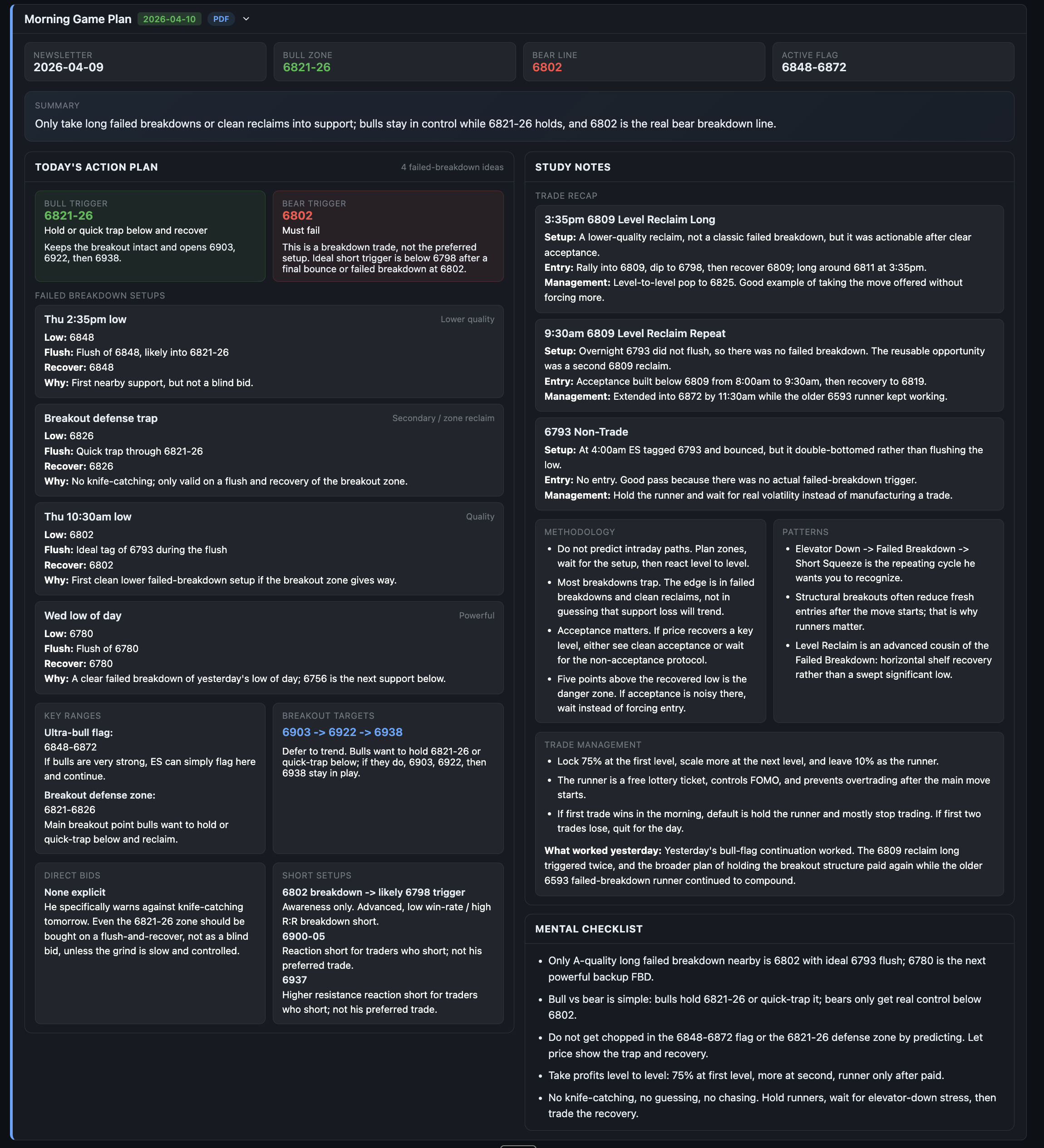
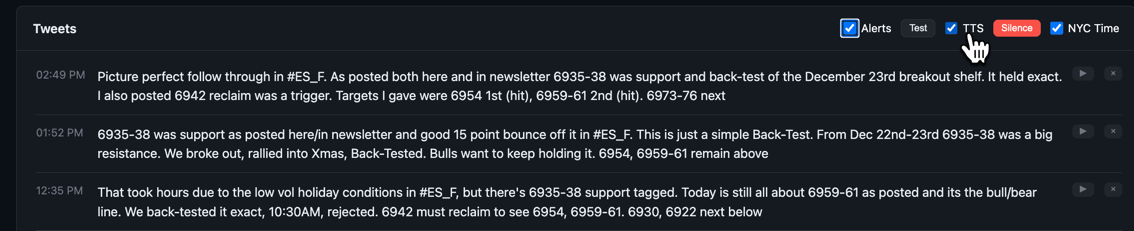
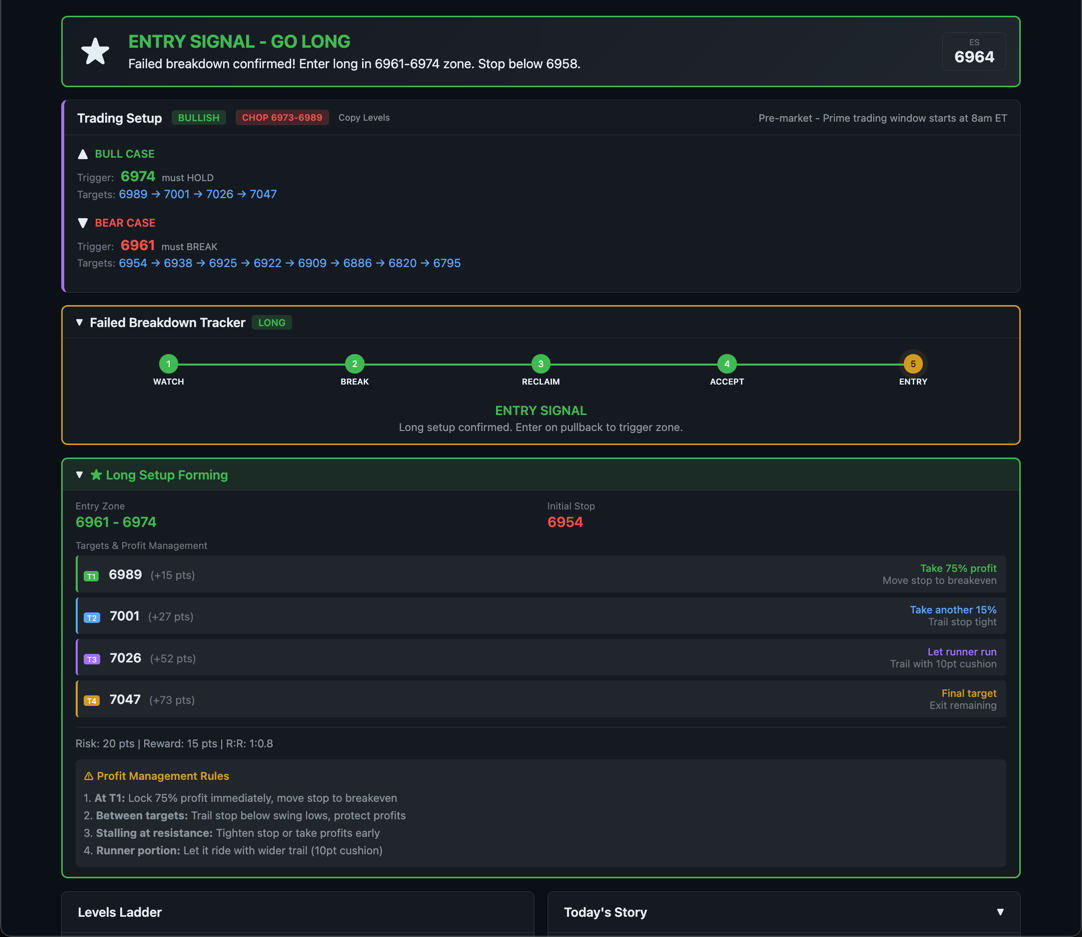
The appeal is not just the visuals. The workflow itself is smoother because the strategy stays coherent from premarket planning through live decision-making and later review.
Start with the daily plan so the important levels and directional cases are fresh before price gets busy.
Let the live tweet flow refine the setup instead of forcing you to guess whether the original read still stands.
When the failed breakdown appears, the reclaim-and-acceptance idea is already framed instead of being improvised on the fly.
Use the embedded audio and screenshots to review later so the setup becomes something you recognize faster next time.
The same audio lesson used elsewhere in TradingPlace lives here too, so the dedicated Mancini Copilot page doubles as the best public landing page for both the visuals and the strategy explanation.
This lesson breaks down the Failed Breakdown as a smart-money trap. It explains why the first break is only information, why the reclaim matters, and why acceptance back above the level is what gives the long idea real weight.
The reclaim is not a cosmetic detail. It is the evidence that the break failed and the trap may be reversing.
Keep the screenshots, live context, and audio together so the setup is easier to review before or after the session.
Open the live chart page afterward if you want to see how the same context fits into the broader TradingPlace execution stack.
Review the setup, check access, or jump into the chart docs to see how the same context fits into execution.