1
Pick a Themed Challenge
Choose the setup you want to drill — the open, a trend day, an FOMC reversal. Each theme targets one skill.
The Trading Dojo brings real historical market sessions into the exact cockpit you trade live — then a coach grades how you traded, not just what you made.
No setup, no memorizing tape. Pick a challenge, practice a historical day, and review a coach's read on your decisions.
Choose the setup you want to drill — the open, a trend day, an FOMC reversal. Each theme targets one skill.
Trade the session as its candles unfold. Choose a themed stream, a recent day, or a Custom session with a fixed or random date.
Themed challenges and Random Custom offer coaching report cards for your entries, risk, patience and exits. Bank the card to keep it; recent and fixed-date sessions use their normal exit controls.
Keep the lesson, take another practice rep, or look back at your decisions. This cheat sheet explains the choices you actually see.
Trading again means making new decisions.
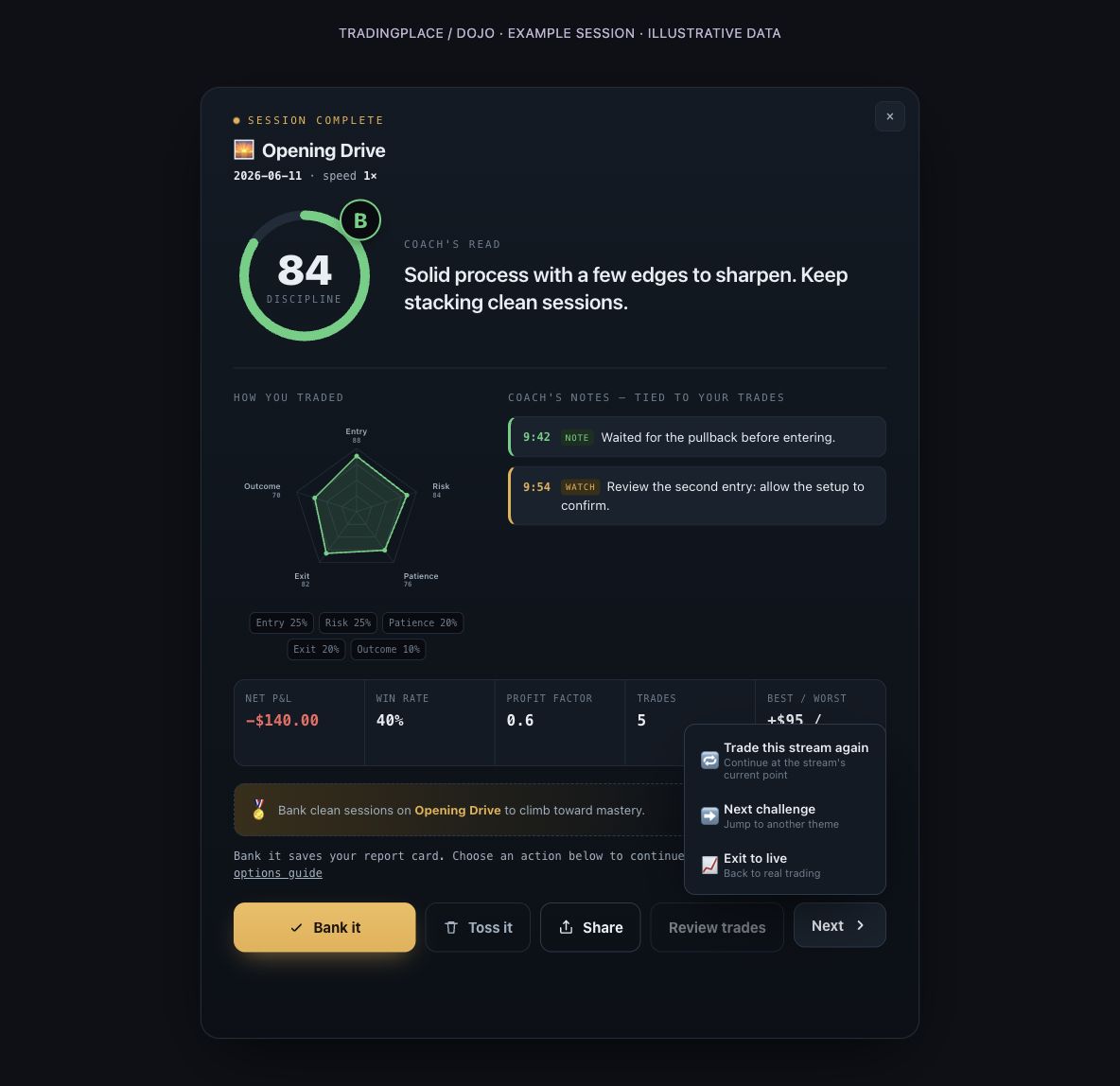
Trade this stream again returns you to the shared stream at its current point. The stream keeps its own schedule. It does not rewind to your entries or play back the trades you just took. This option was previously called Run it back.
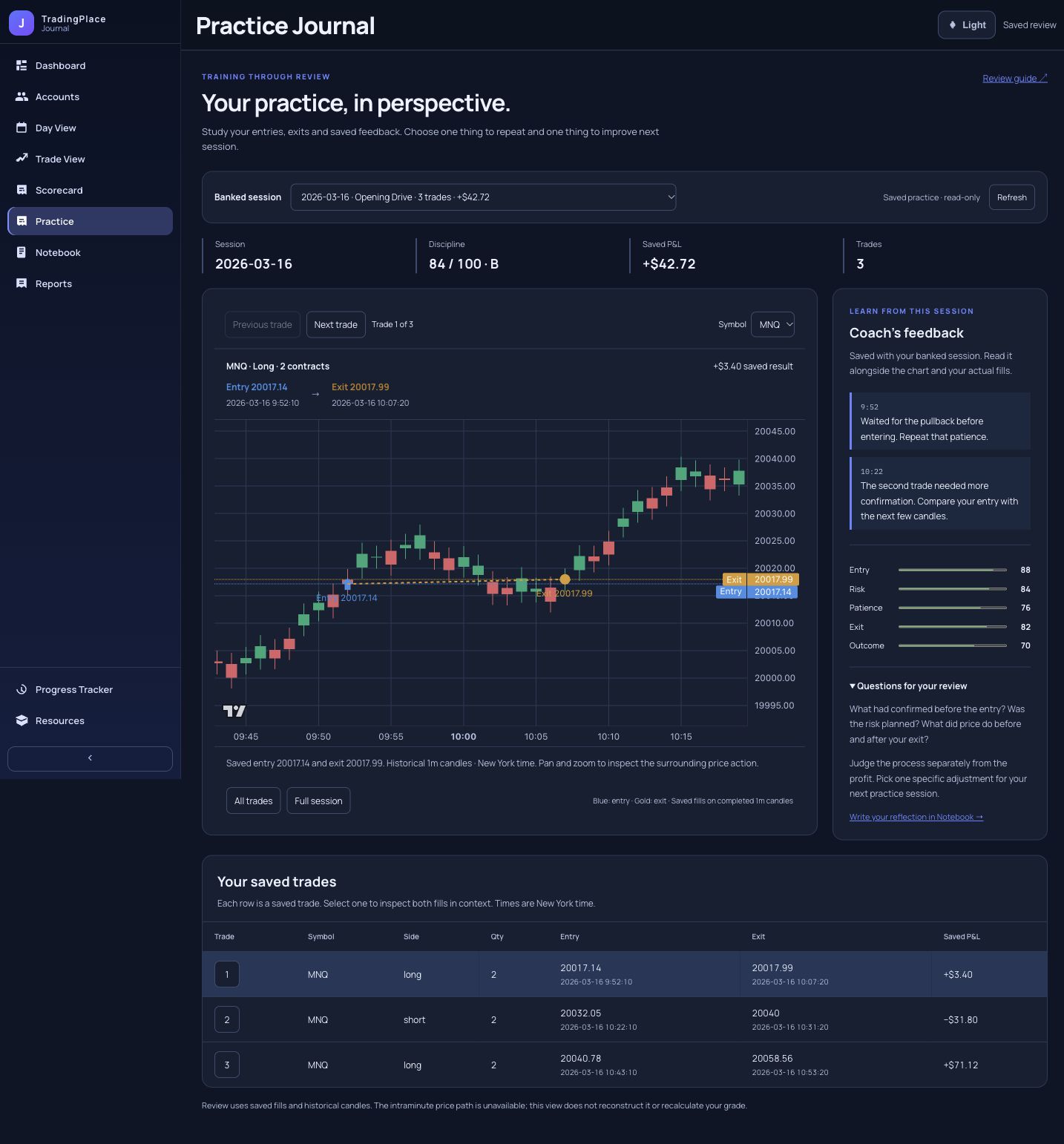
For your score and coaching notes, open a saved card in Dojo → Practice Journal. Save it with Bank it first.
Use the session’s end control. Wait for practice positions and working orders to be cleared before the report opens.
Read the coach’s notes, then Bank it. A saved card stays in your Practice Journal for later review.
Practice that adjustment in the stream, try another challenge, or return to Live when you are ready.
These choices belong to the report card. Banking is explicit: Share, Next and Close do not save the card for you.
| Choose | What it does | What it keeps or starts |
|---|---|---|
| Bank it | Saves this completed report card and updates your practice progression. The card stays open so you can choose what to do next. | Saves card The button says Banked after confirmation. |
| Share | Creates a branded PNG of the displayed card. Opens your device’s share sheet when supported, otherwise downloads it. | Image export only; bank separately to keep it in Practice Journal. |
| Toss it | Leaves this attempt and requests a confirmed return to Live. | An unbanked card is not saved. An already-banked card stays saved; this is not a delete button. |
| Next → Trade this stream again | Closes the report and returns to the same shared practice stream at its current point. | More trading No rewind, exact-session restart or retrospective trade replay. |
| Next → Next challenge | Switches to the next themed practice stream in the challenge list after confirmation. | Another theme on its own schedule. Bank the current card first if you want to keep it. |
| Next → Exit to live | Requests the normal confirmed return to Live and closes the report once confirmed. | Changes mode; does not bank the card or place a live trade. |
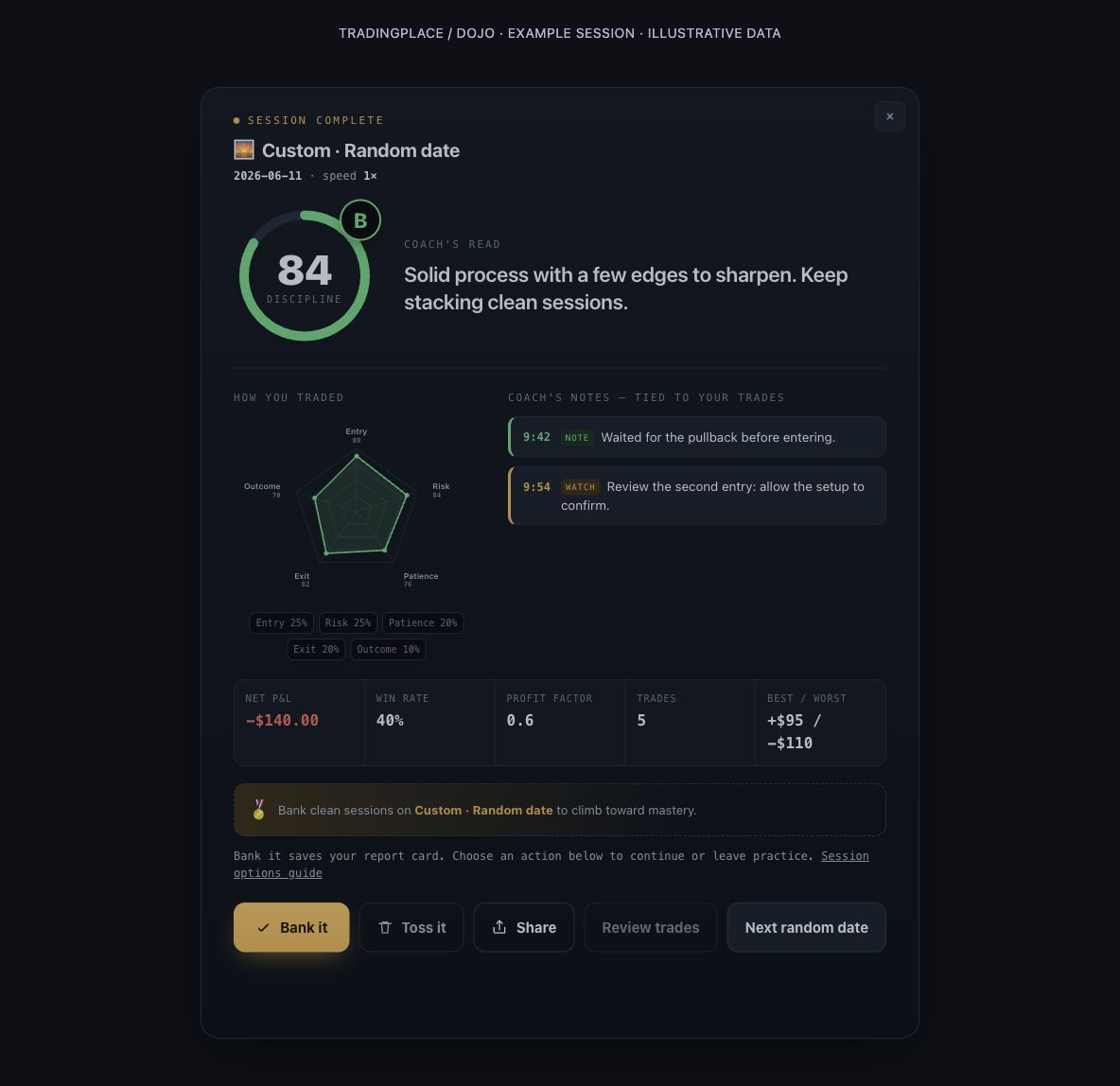
| Next random date | On a Random Custom report, retires the reviewed run and starts the same saved scenario with a different assigned date. | New practice run Keeps your saved speed and time window. Bank before moving on. |
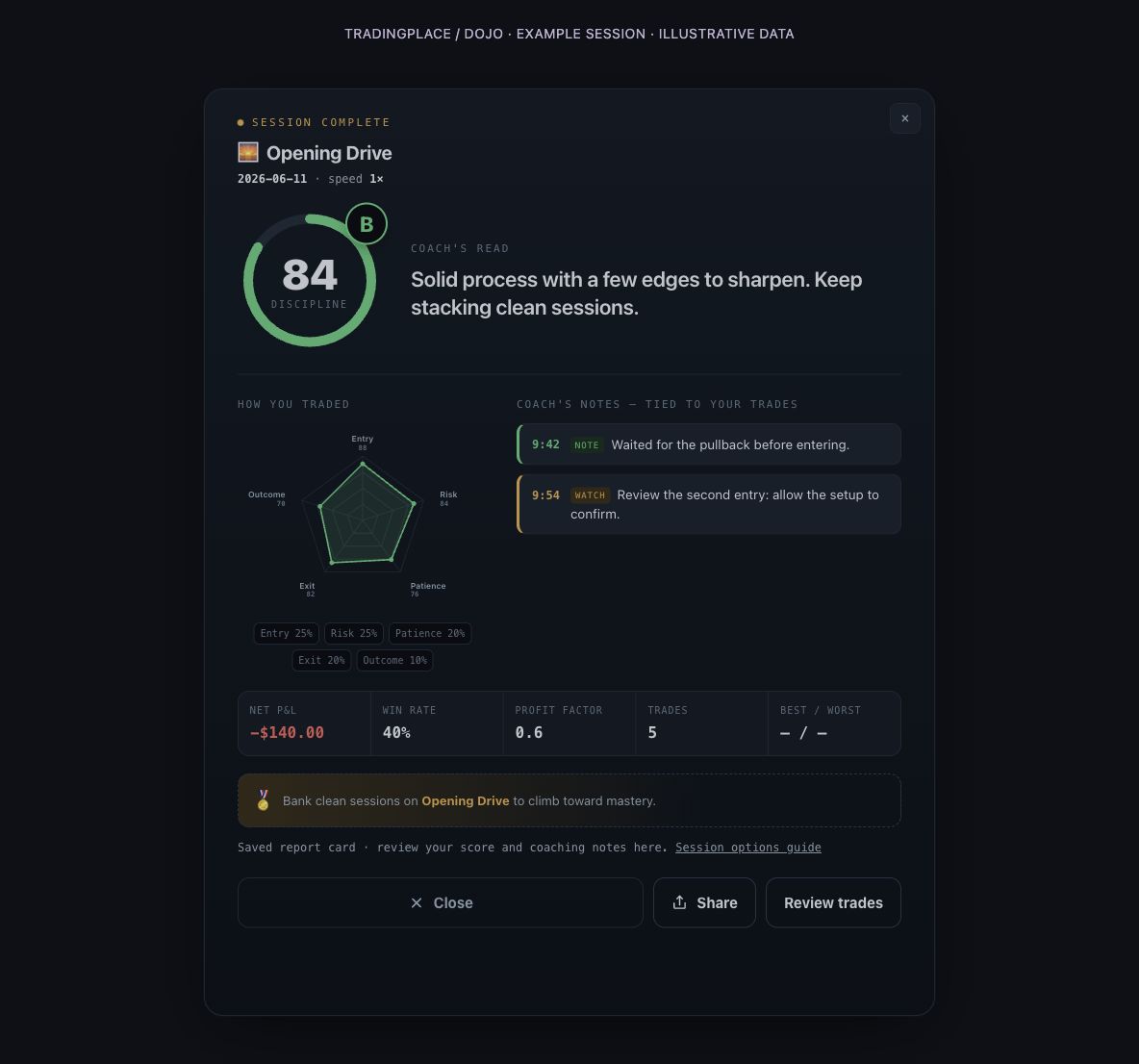
| × / Close | Dismisses the card. On a saved-card review, simply returns you to what you were viewing. | No automatic save, restart or return to Live. |
| Review trades | After banking, opens Journal → Practice with your saved chart, entries, exits and coaching feedback. Choose a trade or use Previous / Next trade; Entry / Exit focuses the chart. | Uses the actual saved fills and report. No server playback or new trading session. No trades taken means no chart review. |
| Try again | Appears if the report could not load. Retries loading the grade. | Retries the report request, not the trading session. |
If saving, closure or a mode change cannot be confirmed, the card keeps a visible status. Resolve that notice before assuming the action completed. No trades taken? The card says Not graded.
Use End Session & See Results to finish early, or open the report when the run completes. You get Bank it, Toss it, Share and the Next menu. These are shared scheduled streams: leaving or returning does not restart the stream for everyone. The roster can show the assigned date.
End & Next first closes your practice exposure, pauses the current run and opens its report. It does not immediately skip to another day. Bank, share or read the card, then select Next random date when you want a fresh run. The actual date is revealed on the report.
Pause / Resume controls that private run; Restart starts it over, and Stop returns to Live through the existing confirmed exit. The Random Custom End & Next report flow is not offered here. If Tradovate Replay is enabled on an eligible Custom stream, in-place Restart is unavailable; stop and start a new Replay session.
Join the available scheduled session for its known date and time window. These streams do not offer the themed End Session & See Results report control. Use the normal return-to-Live flow when finished; their shared schedule keeps running.
Click a banked card to reopen the saved score, skill breakdown, P&L and coaching notes. The review offers Close, Share and Review trades. Review trades opens Journal → Practice, where the chart and saved coaching feedback stay together. Use Previous / Next trade to select your trades, then Entry / Exit to focus either fill. Empty sessions have no trades to review. Some details, such as best / worst trade, may show — when they were not included in the saved card.
These screenshots use the actual Dojo report renderer with illustrative session data. They show the available controls, not a customer’s results. Select an image to see it at full size.
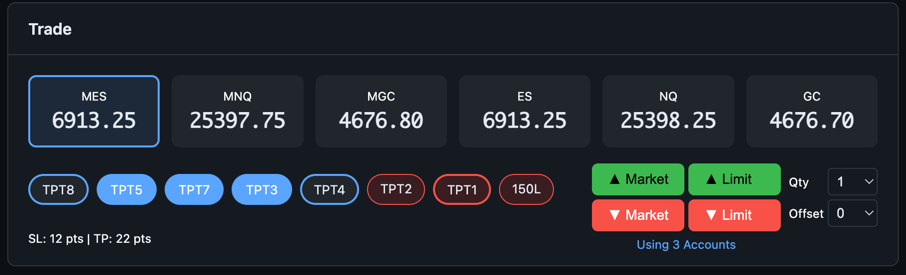
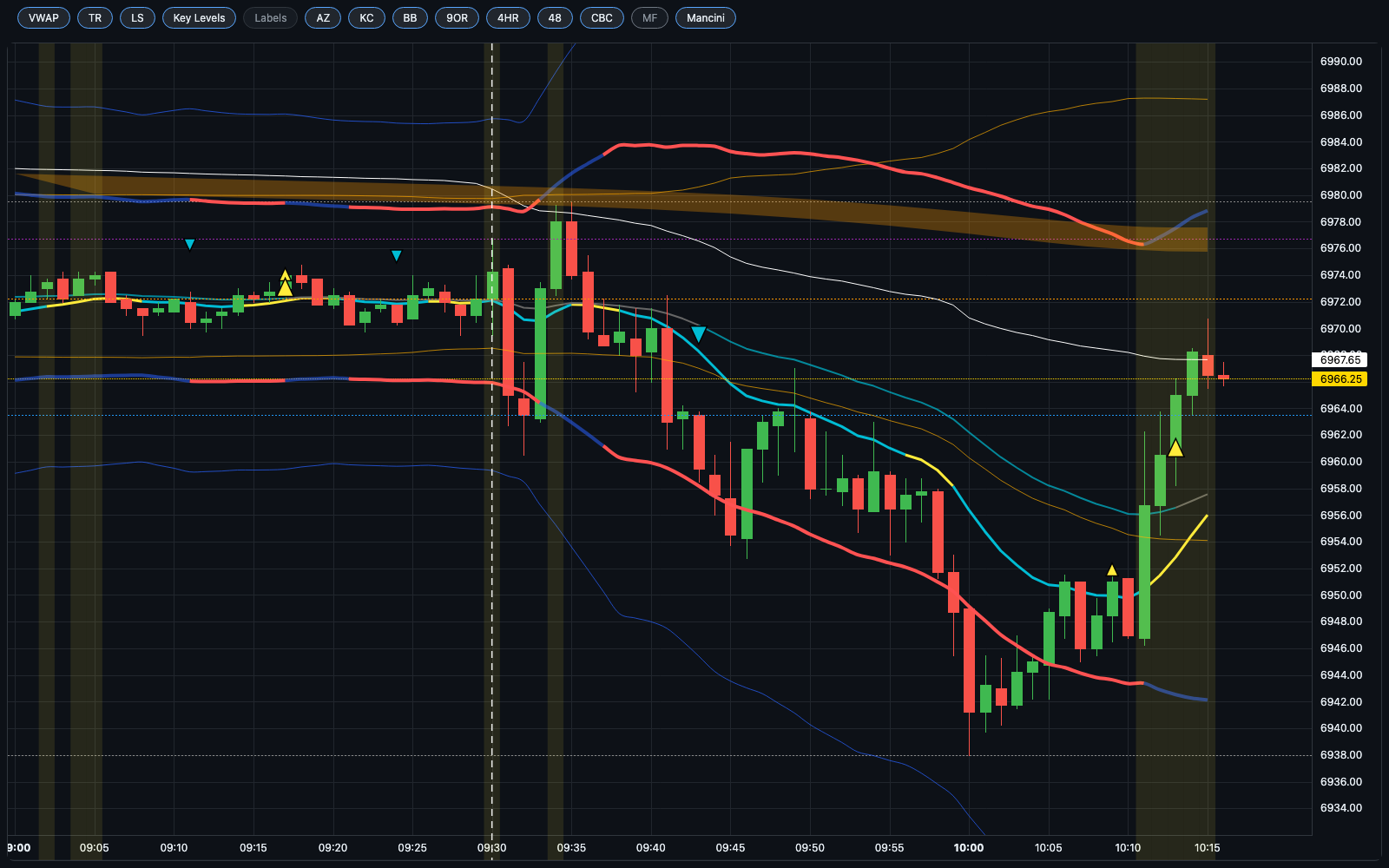
The Dojo isn't a stripped-down toy sim in a separate window. You practice in the exact live cockpit — with the product's own Alpha Zone, Buying Pressure, and Money Flow indicators — so every habit you build transfers to your funded accounts 1:1.
Each challenge is a different kind of day that traps traders. Drill them one at a time until each one stops costing you.
Nail the first 30 minutes without chasing.
The open at 2× — sharpen your reactions.
Survive the grind that traps breakout traders.
Surviving the 14:00 knife — trade the reaction, not the print.
Ride a real trend instead of fading it to death.
Read the top and respect the roll-over.
On a themed or Random Custom report, the coach scores a 0–100 Discipline grade and an A–F letter across five axes — Entry, Risk, Patience, Exit, and Outcome — with coaching notes tied to each trade. A clean losing day still scores well, and standing aside when there was no edge is rewarded, not punished.
Coach's read: Disciplined. You waited for the trend to prove itself and sized like a pro — the red print doesn't change that.
A single 0–100 grade and A–F letter that tells you whether you executed your process — win or lose.
Five axes — Entry, Risk, Patience, Exit, Outcome — so you can see exactly which part of your game is leaking.
Plain-language callouts tied to individual trades — what you did well and what to watch next time.
A clean losing day still scores well. Standing aside with no edge is rewarded, not punished.
Use a shared themed stream, study a known recent day, or choose Random in Custom for a fresh assigned date.
Choose Random for a Custom scenario. End & Next opens the report first; Next random date starts another assigned day with the same saved speed and window. Shared streams keep their own schedules.
Done early? Hit End Session & See Results and the report opens after your practice positions and working orders are confirmed closed — no need to sit through the whole day to learn something from it.
Select Bank it to save a completed report card to your Practice Journal. Climb per-theme Mastery rings as your discipline scores rise, and export a branded share-card when you hit a new tier.
Cards you explicitly bank are saved with their session, date, grade, P&L and coaching notes for review.
Climb bronze → silver → gold → diamond on each theme as your discipline scores rise.
Export a clean, branded card when you hit a new tier and share the milestone with your trading circle.
The Trading Dojo is part of every TradingPlace plan — paper practice, practice sessions, coaching report cards, and progression, all included. There's no separate purchase and no upsell.
Everything you need to know before your first rep in the Dojo.
Pick a session, practice it in your real cockpit, and let the coach show you exactly where your edge — and your leaks — live.
Included in every plan. Practice trading puts no live capital at risk.